
How to Write a Resume That Passes ATS and Gets Read
Your resume has three readers: the ATS parser, the recruiter who skims it, and the hiring manager who decides. Here's how to write one resume that works for all three.

Resumeza Team
The team behind Resumeza

On this page
Build a resume that gets interviews
- ATS-optimized templates
- AI-powered writing
- Free to start
No credit card required
You've read the advice. Make it ATS-friendly. Make it stand out. Keep it simple. Make it memorable. Use keywords. Don't stuff keywords. Half of it contradicts the other half, and you're left with a resume that tries to please everyone and convinces no one.
The contradiction goes away once you notice that a resume isn't read once. It's read three times, by three very different readers, each looking for something different. Software reads it first. A recruiter skims it second. A hiring manager studies it third. Most resume advice is really advice for one of those readers, presented as if it applied to all of them.
TL;DR: Write for three reads. For the parser, use one column, standard headings and real text. For the skimmer, put your target title, strongest proof and the job ad's key terms in the top third of page one. For the decider, turn every bullet into evidence: what you did, how big it was, and what changed because of it.
The Three Reads: Who Actually Reads Your Resume
Every application that goes through an online system passes through up to three readers before you get an interview. Each one has a different job and a different question in mind.
| Read 1: The parser | Read 2: The skimmer | Read 3: The decider | |
|---|---|---|---|
| Who | Applicant tracking system (ATS) software | Recruiter or HR coordinator | Hiring manager, sometimes a panel |
| Question | "What fields can I extract from this file?" | "Is this person plausibly qualified?" | "Can this person do the job better than the others?" |
| How they read | Every character, literally, with no judgment | Fast, top-down, pattern matching | Slowly, bullet by bullet, comparing candidates |
| What fails you | Columns, text boxes, images, odd headings | Buried titles, missing must-haves, vague top section | Duties instead of results, no scale, no proof |
| What you control | Structure and file format | The top third of page one | The content of every bullet |
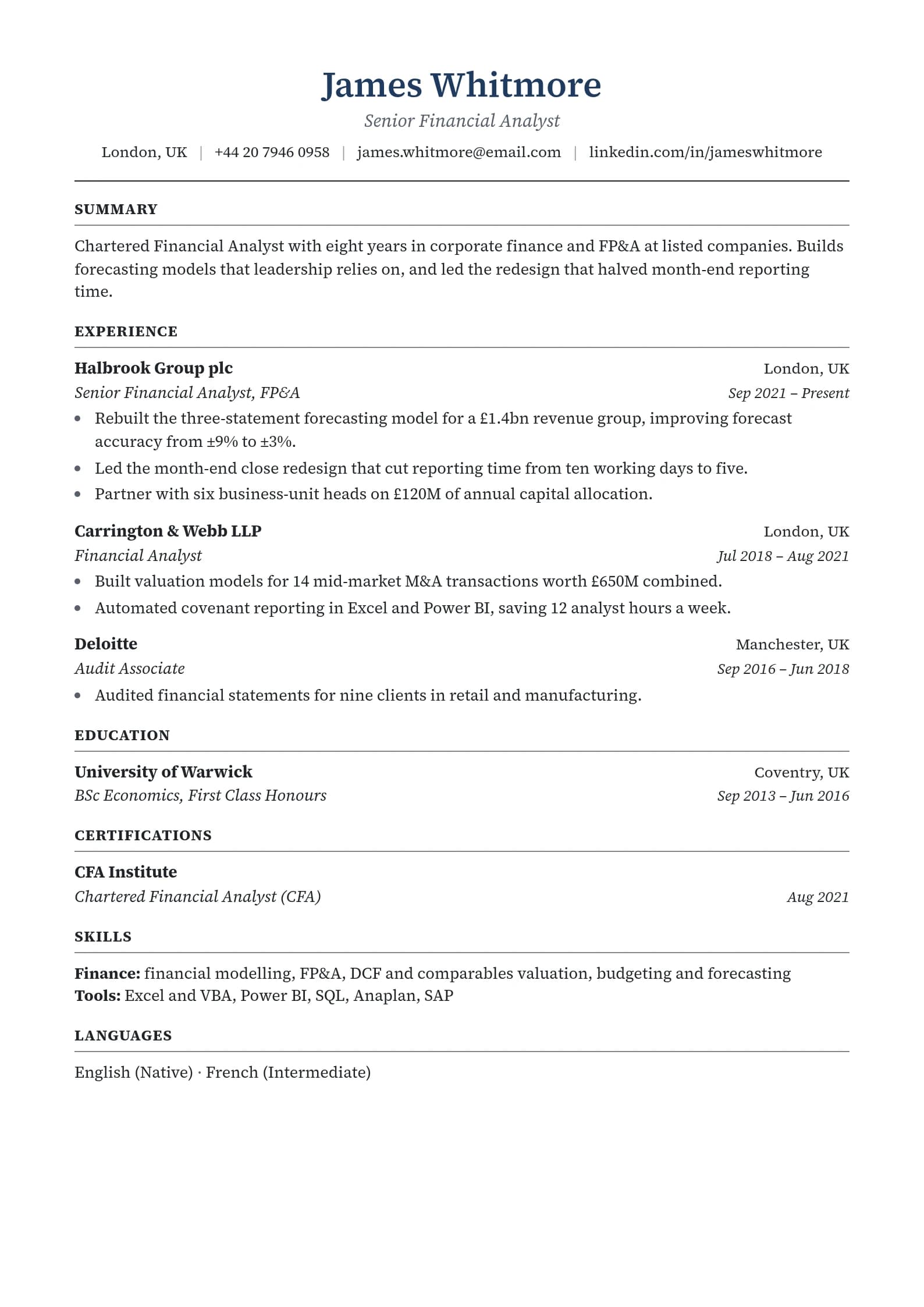
Most resumes fail one read while being tuned for another. A Canva design can delight the decider and confuse the parser. A keyword-stuffed resume can satisfy a search and bore the skimmer. A resume that does well on all three reads is plain where the parser needs plain, specific where the skimmer looks, and full of evidence where the decider reads.
Read 1: The Parser
An applicant tracking system (ATS) is software that employers use to collect applications, convert each resume into a structured candidate profile, and let recruiters search, filter and track those candidates. Workday, Greenhouse, iCIMS, Lever, SAP SuccessFactors and Oracle Taleo are common examples.
The important word is convert. Before any person or ranking feature sees your resume, the ATS turns your file into text and tries to work out which text is your name, which is a job title, which is a date and which is a skill. If that step goes wrong, everything after it goes wrong too: a recruiter searching for "project manager" can't find you if the parser filed your job title under "skills".
What the parser needs
- One column. Parsers generally read left to right, top to bottom. Two columns can be read straight across, mixing your sidebar into your work history.
- Real text. If you can't highlight the words in your PDF, it's an image, and the parser sees nothing.
- Standard headings. "Experience", "Work Experience", "Education", "Skills". A heading like "Where I've Made an Impact" is charming and unrecognizable.
- Contact details in the body. Some systems skip page headers and footers, so put your name, email and phone at the top of the page itself.
- Consistent dates. "Mar 2023 to Present" or "03/2023 to Present", the same format every time. Systems use dates to calculate experience.
- No text boxes, tables for layout, icons or skill bars. A five-star rating is a picture. "Python" is a word. Parsers can only search words.
PDF or Word?
A text-based PDF is fine for most modern systems and keeps your layout intact. Send Word (.docx) when the job ad or a recruiter asks for it. Either way, the file is only as good as its structure: a clean Word file beats a PDF exported from a design tool, and the reverse is also true.
Test it instead of guessing
You can't see what the parser saw, but you can get close. Two quick tests:
- The copy-paste test. Open your PDF, select all, paste into a plain text editor. If the order is scrambled or chunks are missing, a parser will struggle too.
- An ATS check. Upload your file to the ATS checker to see which fields come through, with a score and specific fixes.
When you fill in an application portal, look at the fields it auto-fills from your resume. Wrong job titles or empty dates are the parser telling you exactly what it misread. Fix the form before you submit, and fix the resume before the next one.
Read 2: The Skimmer
The second reader is a person, usually a recruiter, reviewing a long list of applicants for several open roles at once. They are not reading your resume yet. They are deciding whether to read it.
Recruiters skim from the top down and check a short list of things: your most recent job title, your employers, the dates, and whether the must-have requirements from the job ad appear anywhere. That means the top third of page one does most of the work in this read. If the answer to "is this person plausibly qualified?" isn't visible there, the skimmer often moves on.
Design the top third deliberately
Here's what the top third of page one should contain, in order:
- Name and contact details. Name, city and state or country, phone, email, LinkedIn URL. No full street address needed.
- A target headline. One line that names the job you want, in the job ad's words: "Senior Accounts Payable Specialist" or "Full-Stack Developer, React and Node.js".
- A three-sentence summary. Who you are, your strongest proof, and what you're looking for.
- The start of your most recent role, with its title, employer, dates and first two bullets.
Before (a top third the skimmer can't use):
Jordan Reyes Motivated, results-oriented professional with a passion for excellence and a proven track record of success in fast-paced environments.
After (a top third that answers the question):
Jordan Reyes Denver, CO · jordan.reyes@email.com · (555) 010-4477 · linkedin.com/in/jordanreyes
Accounts Payable Specialist Accounts payable specialist with six years in multi-entity manufacturing finance. Cut invoice processing time from eight days to three by rolling out three-way matching in NetSuite. Looking for a senior AP or AP team lead role.
The second version tells the skimmer the job title, the domain, the system, a result and the direction of travel, in less space than the first version used to say nothing.
Mirror the job ad's language
Skimmers, and the search tools they use, look for the words in the job ad. If the ad says "accounts payable" and your resume only says "vendor payments", you're relying on the reader to translate. Use the ad's own terms wherever they honestly describe your experience, especially for:
- Job titles (yours, if they genuinely match)
- Required tools and systems
- Certifications and licenses
- The two or three responsibilities the ad mentions first
To see which terms an ad emphasizes, paste it into the free job description analyzer. To check your resume against it, use the keyword matcher. Tailoring every application from scratch is exhausting, so our guide to tailoring one resume to many job ads shows a faster system.
Keyword stuffing fails the skimmer
Hidden keywords in white text, or a block of 60 skills at the bottom, might help a search match in some systems. They also tend to look desperate to the person who reads the result. The skimmer is a human, and humans notice. A skill earns its place when it appears in context: "Built monthly close dashboards in Power BI" proves Power BI. A list just claims it.
Read 3: The Decider
If you pass the skim, your resume lands with the hiring manager, the person who will actually manage you. They read more slowly, often with two or three other shortlisted resumes open, comparing. Their question isn't "is this person qualified?" anymore. It's "who is the strongest of these qualified people?"
That comparison is won or lost in your bullet points.
Every bullet should be evidence
A duty tells the reader what your job was. An achievement tells them how well you did it. The decider already knows what an accounts payable specialist does; what they don't know is whether you did it better than the other three finalists.
Duty:
Responsible for processing vendor invoices.
Evidence:
Processed 1,200+ vendor invoices a month across four entities with a 0.5% exception rate, the lowest on a team of six.
The second bullet has three things the first is missing: an action (processed), scale (1,200+ a month, four entities) and a result with a comparison (0.5%, lowest on the team). We break down how to find those three things for any job, including jobs where numbers are hard to come by, in how to turn job duties into achievement bullets.
You can also paste a few bullets into the free bullet point grader to see which ones read as duties.
Put the best evidence first
Within each role, order bullets by how much they matter to the job you're applying for, not by how much time they took. The decider may only read the first two or three bullets of older roles, so lead with the strongest ones.
Make the story add up
The decider also reads your resume as a story. Does each role lead logically to the next? Does the summary's claim match the evidence below it? If you're changing careers, the story needs a bridge, and the summary is where you build it. See what to put in a resume summary when changing careers.
The Sections, in Order
For most people with work experience, this order works for all three readers:
- Contact details
- Headline and summary
- Work experience (most recent first)
- Skills (tools, systems, technical skills, languages)
- Education
- Certifications, projects or volunteer work (if relevant)
Students and recent graduates can put Education above Experience. Career changers sometimes add a short Relevant skills or Selected projects section above their work history to show transferable proof early.
Things to leave off almost everywhere: a photo (unless it's the norm in the country you're applying in), your date of birth, marital status, a full street address, "References available upon request", and an "Objective" that only says what you want.
How Long Should It Be?
Long enough to hold your strongest evidence, and no longer. For most people that's one page early in a career and two pages with more experience. Academic CVs, some government applications and senior technical roles can run longer. The rule of thumb that helps all three readers: if a line wouldn't change anyone's decision, cut it.
We go through length by career stage, with what to cut first, in resume length by career stage.
Formatting That Works for All Three Readers
| Choice | Parser | Skimmer | Decider | Verdict |
|---|---|---|---|---|
| Single-column layout | Reads in order | Easy to scan top-down | Neutral | Use it |
| Two columns or sidebar | Can scramble text | Can look busy | Neutral | Avoid for online applications |
| Standard headings | Recognized | Found instantly | Neutral | Use them |
| Bold job titles | Neutral | Speeds up scanning | Neutral | Use them |
| Skill bars and ratings | Unreadable | Meaningless ("4/5 at Excel?") | Unconvincing | Avoid |
| One accent color | Neutral | Helps hierarchy | Neutral | Fine |
| Photo | Ignored or confusing | Can invite bias | Rarely helps | Leave off unless local norms expect it |
| Common font, 10 to 12 pt | Reads cleanly | Readable | Readable | Use it |
All the Resumeza templates are single-column and built to parse cleanly, so you can pick a look without risking the first read.
Before You Hit Submit: A Three-Read Checklist
Read 1, the parser:
- One column, no text boxes, tables for layout, icons or skill bars
- Contact details in the body, not the header or footer
- Standard section headings
- The same date format throughout
- Text-based PDF or Word file that passes the copy-paste test
Read 2, the skimmer:
- A target headline that matches the job title in the ad
- A specific three-sentence summary
- The ad's must-have requirements visible on page one
- Job titles, employers and dates easy to find
Read 3, the decider:
- Every bullet starts with an action verb
- Most bullets show scale or a result
- The strongest bullets come first in each role
- The summary's claims are backed up below
- No typos (read it aloud, or backwards line by line)
After you apply, don't just wait. A short, well-timed note can get a stalled application in front of a person: see how to follow up after applying for a job.
Write for all three reads
The Resumeza resume builder gives you single-column templates for the parser, a clear top section for the skimmer, and AI help turning duties into evidence for the decider. Building is free, and your first PDF or Word download is free too. When it's ready, run it through the ATS checker.
Frequently Asked Questions
How do I make my resume ATS-friendly?
Use a single-column layout, standard section headings such as Experience, Education and Skills, real text rather than images, contact details in the body of the page, and one consistent date format. Avoid text boxes, tables used for layout, icons and skill bars. Then test it: paste the PDF text into a plain text editor, or run it through an ATS checker.
Does an ATS automatically reject resumes?
Usually, a person makes the rejection decision, often with help from filters or knockout questions the employer has set, such as work authorization or a required license. The bigger risk from the software is poor parsing: if the ATS misreads your job titles or skills, recruiters searching the database may never find you.
What do recruiters look at first on a resume?
Recruiters typically start at the top: your most recent job title, employer and dates, then any headline or summary, then whether the job ad's must-have requirements appear. That's why the top third of page one should name your target role and show your strongest proof.
Should my resume be a PDF or a Word document?
A text-based PDF works well for most modern applicant tracking systems and keeps your formatting intact. Send a Word file if the job ad or recruiter asks for one. Check that you can highlight the text in your PDF; if you can't, it's an image and the ATS can't read it.
Can a resume be both ATS-friendly and well designed?
Yes. Good design for a resume means clear hierarchy: bold job titles, consistent spacing, one accent color and a readable font. All of that parses fine. What causes problems is layout design, such as columns, text boxes and graphics, which can scramble the text an ATS extracts.
Keep Going
Resumeza Team
The team behind Resumeza
The team that builds Resumeza's resume templates and ATS checker and writes its expert reviews..
Your resume is your first impression. Make it count.
Build an ATS-optimized resume that gets read, with AI help on every section.
No credit card required. Your first PDF or Word download is free; after that, Pro is $6.95 a month.
Continue Reading
View all articles


Build a resume that gets interviews
Ready to build your resume?